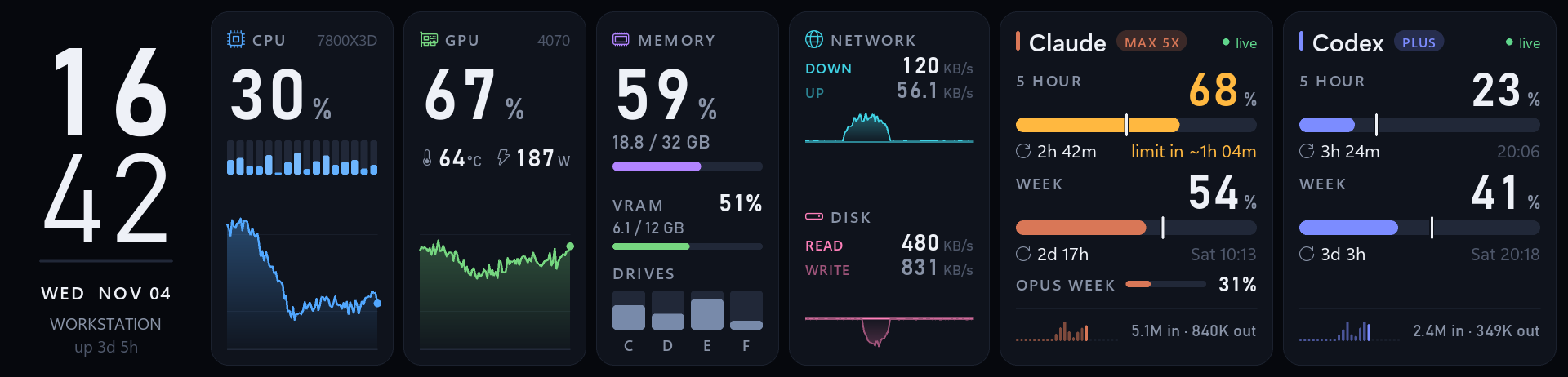
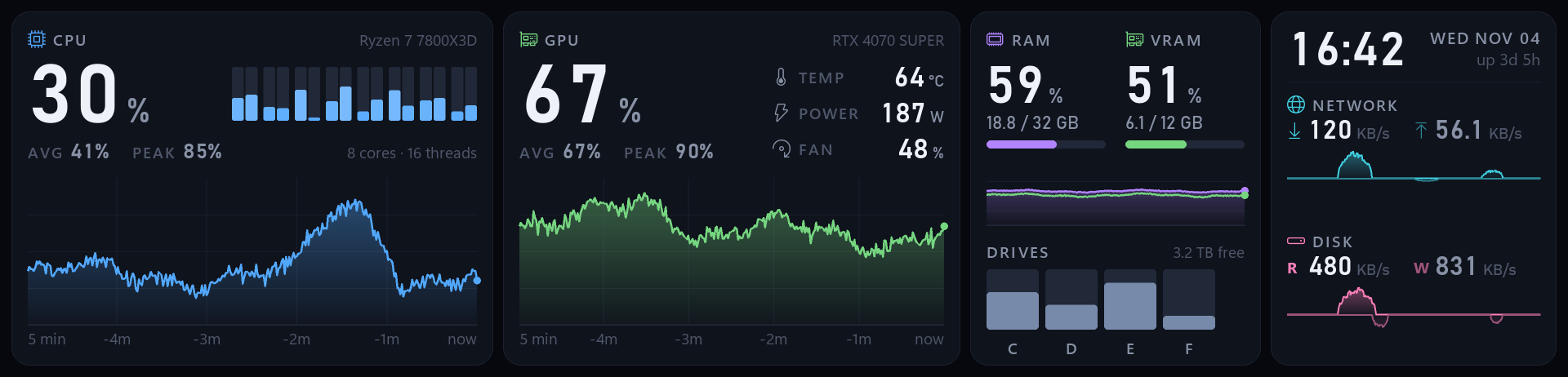
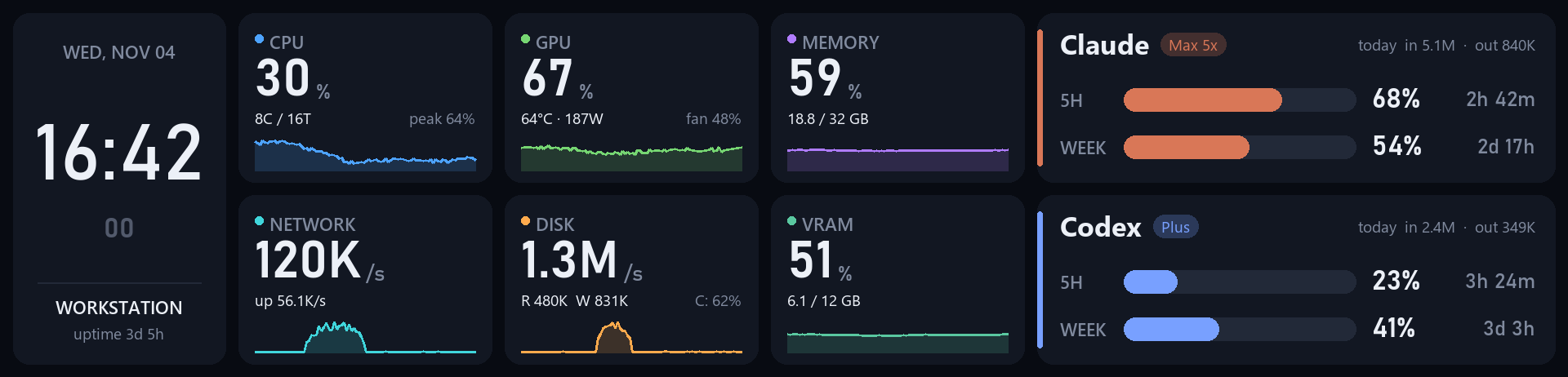
trofeo-lcd is a small Python app that drives the Trofeo Vision 9.16″ panel directly over USB and turns it into a live dashboard: CPU, GPU, memory, network and disk on one side, and how fast you are burning through your AI coding assistant quota on the other.
Frame rendered by the app with demo data (default cards layout).
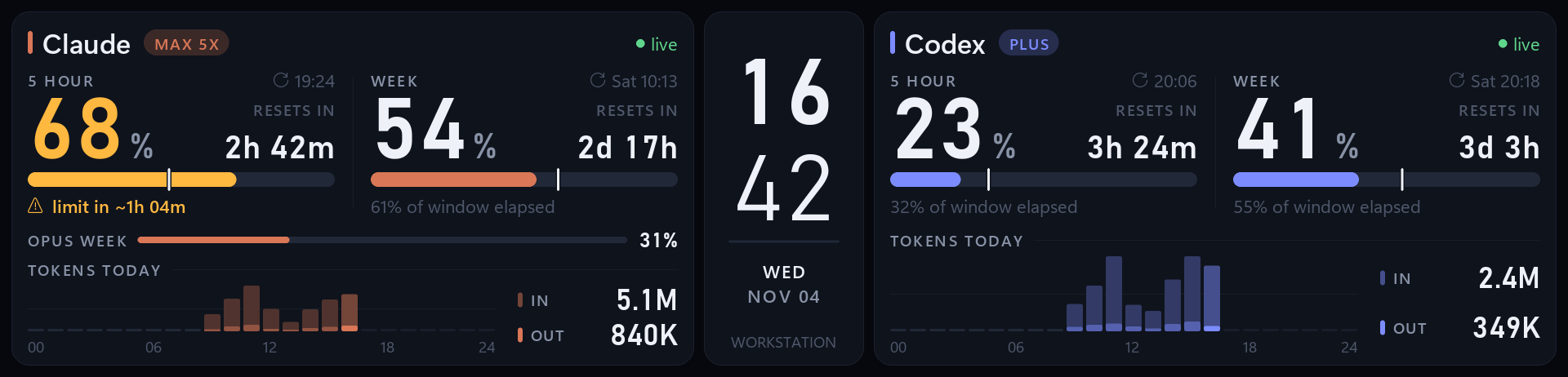
No vendor software, no cloud service. A single Python process reads local data, draws a frame with Pillow and streams it to the panel as JPEG.
Per-core CPU load, NVIDIA GPU load, temperature and power, RAM, VRAM, drive usage, network and disk throughput with 5-minute history.
5-hour and weekly usage, per-model weekly limits, reset countdowns and today's hourly token chart, read from your existing Claude Code login.
5-hour and weekly rate limits plus token totals, parsed from the Codex CLI session logs already on your disk.
Each usage bar shows how much of the reset window has elapsed, and warns you when the current pace will hit the limit before it resets.
Pick one or rotate between several. Each layout is a single Python file, so adding your own is straightforward.
Edit settings.json while the app is running and the panel switches immediately. No restart needed.
Frames rendered by the app with demo data. Regenerate them with uv run docs/screenshots.py.
cardsDefault. Clock, CPU, GPU, memory (RAM, VRAM, drives), network & disk, Claude and Codex as seven cards.
aiFocused on Claude and Codex usage, with hourly token charts.
systemHardware only, with 5-minute history graphs.
classicThe original design. Clock, a 3×2 grid of metric tiles, plus Claude and Codex cards.Tested on Windows 11 with Python 3.13. The layouts use fonts that ship with Windows 11 (Bahnschrift, Segoe UI Variable, Segoe Fluent Icons).
| Item | Notes |
|---|---|
| Display | Thermalright Trofeo Vision 9.16″ LCD, USB ID 0416:5408 (0416:5409 is also recognized) |
| OS | Windows 11 |
| Python | 3.13+, managed with uv |
| GPU stats | Optional. NVIDIA GPU with a recent driver (read through NVML) |
| AI usage | Optional. Claude Code and/or Codex CLI installed and signed in on the same PC |
git clone https://github.com/geniuskey/trofeo-lcd.git cd trofeo-lcd uv sync
Render one frame per layout to PNG files. Useful for testing on any machine.
uv run dashboard.py --layout all --preview shot.png
# writes shot-cards.png, shot-classic.png, shot-ai.png, shot-system.png
uv run dashboard.py # rotated 180° by default uv run dashboard.py --no-rotate # if your panel is mounted the other way up
start.vbs launches the dashboard with pythonw.exe, so no console window appears.
Create a shortcut to it (or a small .vbs that calls it) in your Startup folder
(Win+R → shell:startup).
Put a settings.json next to dashboard.py. It is re-read whenever it changes, so edits apply while the dashboard is running.
{"layout": "cards,ai", "cycle": 20}
layout takes one name, a comma-separated list or "all". cycle is the number of seconds each layout stays on screen when several are selected.
Command-line options override settings.json:
| Option | Description |
|---|---|
--layout NAMES | Comma-separated layouts (cards, classic, ai, system) or all |
--cycle SECONDS | Seconds per layout when several are selected |
--preview FILE.png | Render one frame per selected layout to PNG and exit |
--no-rotate | Do not rotate the picture 180° |
The usage bars are designed to answer one question: am I going to run out before the limit resets?
The white tick marks how much of the reset window has elapsed. The bar is behind the tick, so you are using quota slower than it refills.
The bar is ahead of the tick. If the current pace would reach 100% before the reset, the card shows limit in ~1h 20m.
Red and orange are reserved for real risks: RAM, VRAM or drive capacity, GPU temperature and AI limits. High CPU or GPU load alone never changes color.
Everything is read locally. The only network call is Claude's own usage endpoint, using the token Claude Code already stores on your machine.
| Source | How |
|---|---|
| PC | psutil for CPU, memory, drives, network and disk; NVML (nvidia-ml-py) for NVIDIA GPUs |
| Claude limits | OAuth token from ~/.claude/.credentials.json → api.anthropic.com/api/oauth/usage (5-hour, weekly, per-model utilization, server severity) |
| Claude tokens | Today's hourly token totals aggregated from ~/.claude/projects/**/*.jsonl |
| Codex | token_count events in ~/.codex/sessions/**/rollout-*.jsonl (rate limits, plan and tokens) |
The panel appears as a USB bulk device. Each frame is a 1920×462 JPEG (max ~450 KB) split into 512-byte chunks (16-byte header + 496 bytes of data) and written to the bulk OUT endpoint via PyUSB and a bundled libusb. The protocol was ported from haven80/trofeo-lcd-rs.
layouts/ # one file per dashboard base.py # shared drawing helpers cards.py ai.py system.py classic.py dashboard.py # data collection, layout selection, main loop lcd.py # USB driver for the Trofeo Vision 9.16 start.vbs # windowless launcher
To add a layout, create a file in layouts/ following an existing one and register it in layouts/__init__.py.
Check that the panel's USB cable is connected to a motherboard header or port, and close the vendor software, which holds the device open. If it is still not found, libusb may not be able to access the device with its current driver; installing the WinUSB driver for that device (for example with Zadig) usually fixes this. Note that the vendor software may stop working while WinUSB is bound.
Frames are rotated 180° by default to match the common mounting orientation. Run with --no-rotate.
The app only reads what the official CLIs already store. Sign in to Claude Code or run Codex at least once on this PC. Codex limits update whenever a Codex session reports them, so the card may show when the data was last seen.
GPU stats are skipped when NVML is unavailable. The app is developed and tested on Windows 11 only; it relies on Windows fonts and the Windows registry for the CPU name, so other platforms need small changes.
No. This is an independent hobby project. All product names are trademarks of their respective owners.